
Mẫu Chương trình Cập nhật Tin tức
Mục lục
vnstock_news, từ việc chạy công cụ dòng lệnh đến việc triển khai các kịch bản Python ghi log hệ thống, lọc bài trùng lặp và truy xuất theo lô từ sitemap, có khoảng nghỉ giữa các yêu cầu.
Sử dụng qua Dòng Lệnh (CLI)
Sau khi cài đặt vnstock_news, bạn có thể chạy chương trình theo dõi tin tức trực tiếp từ dòng lệnh Terminal để kiểm thử quá trình truy xuất và lưu trữ dữ liệu:
vnstock-news-crawlerBạn có thể xem thêm tài liệu Agent Guide bên dưới để hướng dẫn các công cụ AI Agent (Google Antigravity, Claude Code, Cursor) tự động xây dựng kịch bản truy xuất dữ liệu theo yêu cầu.
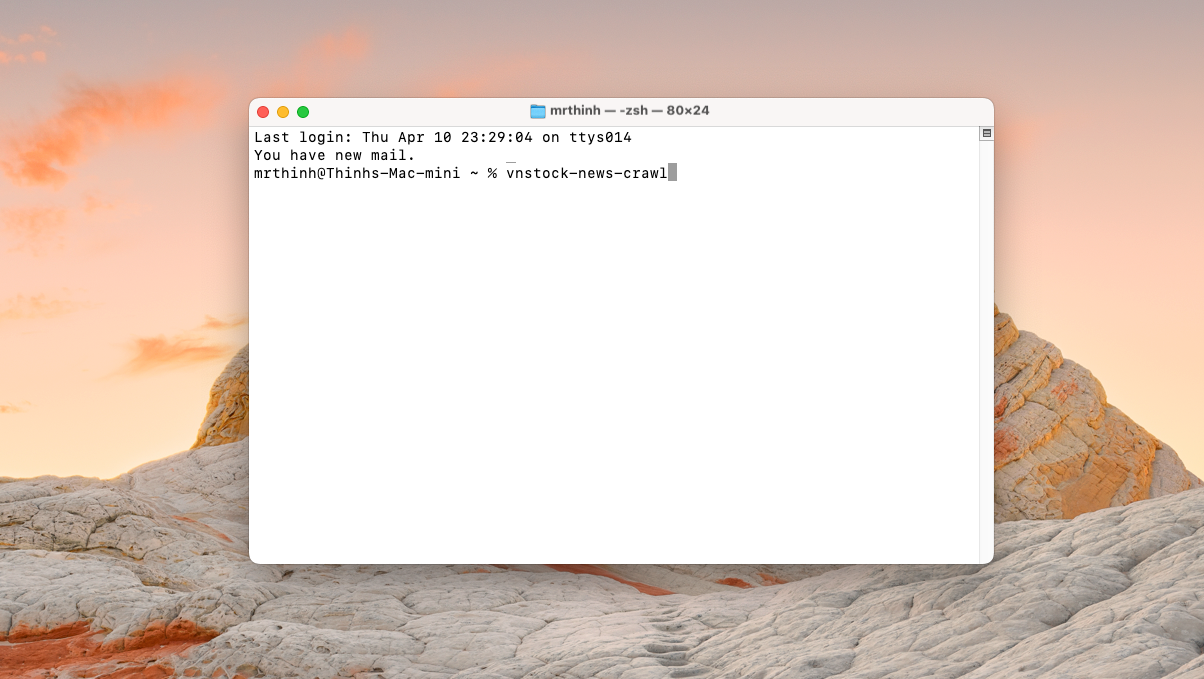 Khởi động chương trình Vnstock News từ Terminal của macOS
Khi khởi chạy, chương trình kết nối tới nguồn RSS và sitemap công khai của các báo, thực hiện trích xuất dữ liệu theo thời gian yêu cầu và lưu kết quả dưới dạng tập tin CSV tại thư mục output.
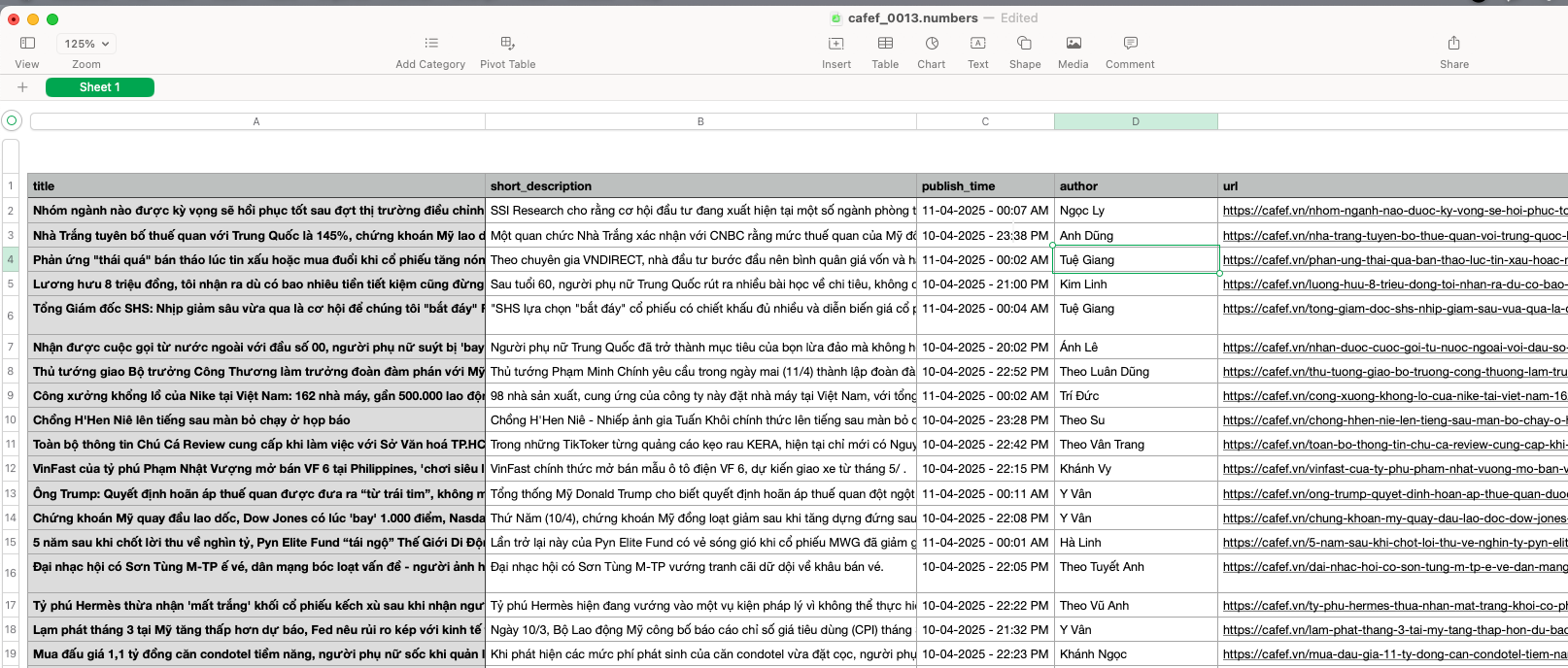 Nội dung dữ liệu tin tức được chuẩn hoá từ Vnstock News
Khung báo cáo sau thống kê sẽ xuất về tệp tĩnh mang tên news_summary.txt:
News Monitor Report - 2026-04-15
==================================================

STATISTICS
--------------------------------------------------
Total articles collected: 580

TRENDING TOPICS
--------------------------------------------------
1. chứng khoán: 107 mentions
2. thị trường: 76 mentions
3. lãi suất: 45 mentions
...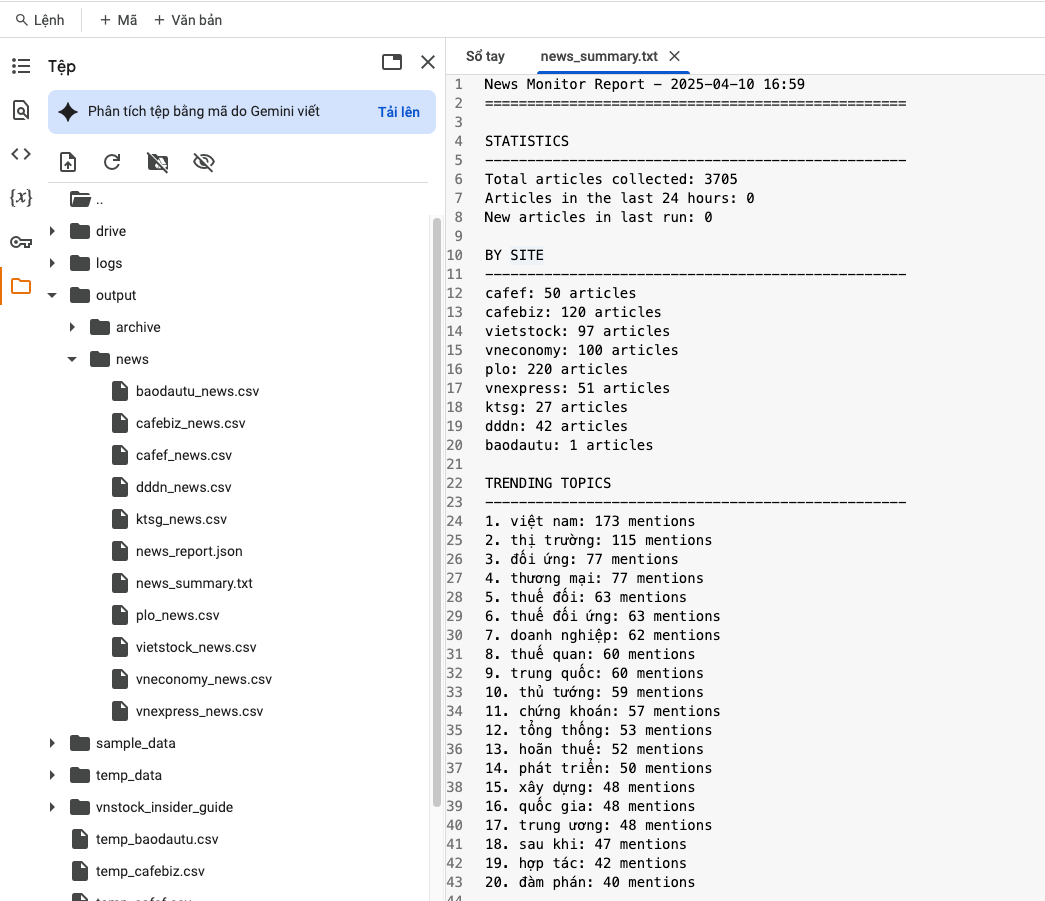 Tóm tắt kết quả chương trình khi kết nối và phân tích tin tức trên Google Colab
Kịch Bản Python 1: Giám Sát Tin Tức Qua RSS Feed
Kịch bản Python dưới đây vận hành luồng kiểm tra tin mới định kỳ, ghi log quá trình chạy và lọc bài viết trùng lặp để tránh lưu lại bài viết đã truy xuất.
import os
import time
import logging
from datetime import datetime
import pandas as pd
from vnstock_news import Crawler

# Cấu hình ghi log hệ thống
logging.basicConfig(
    level=logging.INFO,
    format="%(asctime)s [%(levelname)s] %(name)s - %(message)s",
    handlers=[
        logging.FileHandler("news_monitor.log", encoding="utf-8"),
        logging.StreamHandler()
    ]
)
logger = logging.getLogger("RealTimeNewsMonitor")

class ProductionNewsMonitor:
    def __init__(self, target_sites: list, poll_interval_seconds: int = 300, output_dir: str = "./news_data"):
        self.target_sites = target_sites
        self.poll_interval = poll_interval_seconds
        self.output_dir = output_dir
        self.seen_urls = set()

        os.makedirs(self.output_dir, exist_ok=True)
        logger.info(f"Đã khởi tạo News Monitor cho các báo: {self.target_sites}")

    def poll_once(self) -> int:
        """Thực hiện một lượt quét tin mới từ danh sách RSS feeds."""
        collected_articles = []

        for site in self.target_sites:
            try:
                logger.info(f"Đang kiểm tra RSS feed từ: {site}")
                crawler = Crawler(site_name=site)
                articles = crawler.get_articles_from_feed(limit_per_feed=15)

                new_in_site = 0
                for item in articles:
                    url = item.get("url")
                    if url and url not in self.seen_urls:
                        self.seen_urls.add(url)
                        collected_articles.append(item)
                        new_in_site += 1

                logger.info(f"[{site}] Phát hiện {new_in_site} tin bài mới.")
            except Exception as e:
                logger.error(f"Lỗi khi truy xuất tin từ site '{site}': {e}", exc_info=True)

        # Lưu tin bài mới ra file CSV theo ngày nếu có dữ liệu mới
        if collected_articles:
            df = pd.DataFrame(collected_articles)
            today_str = datetime.now().strftime("%Y-%m-%d")
            filename = os.path.join(self.output_dir, f"realtime_news_{today_str}.csv")

            # Ghi nối tiếp (append) vào file CSV nếu file đã tồn tại
            file_exists = os.path.exists(filename)
            df.to_csv(filename, mode="a", index=False, header=not file_exists, encoding="utf-8-sig")
            logger.info(f"Đã ghi nhận và lưu {len(collected_articles)} bài viết mới vào: {filename}")

        return len(collected_articles)

    def start_continuous_monitoring(self):
        """Khởi chạy vòng lặp giám sát định kỳ."""
        logger.info(f"Khởi chạy vòng lặp giám sát định kỳ (chu kỳ: {self.poll_interval}s)...")
        try:
            while True:
                total_new = self.poll_once()
                logger.info(f"Hoàn thành chu kỳ. Tổng tin bài mới truy xuất: {total_new}. Tạm dừng {self.poll_interval}s...")
                time.sleep(self.poll_interval)
        except KeyboardInterrupt:
            logger.info("Đã nhận tín hiệu dừng từ người dùng (Ctrl+C). Dừng hệ thống an toàn.")

if __name__ == "__main__":
    # Khởi tạo monitor cho các báo có RSS (VnExpress, Tuổi Trẻ, Thanh Niên)
    monitor = ProductionNewsMonitor(
        target_sites=["vnexpress", "tuoitre", "thanhnien"],
        poll_interval_seconds=180,  # Kiểm tra RSS mỗi 3 phút; nên kéo dài chu kỳ nếu không cần tin gần tức thời
        output_dir="./output_stream"
    )

    # Thực hiện 1 lượt quét ngay lập tức
    monitor.poll_once()
Kịch Bản Python 2: Truy Xuất Theo Lô Từ Sitemap
Khi cần một bộ bài viết trong quá khứ phục vụ phân tích, kịch bản dưới đây dùng EnhancedNewsCrawler để truy xuất theo lô từ sitemap, có bộ nhớ đệm để không tải lại bài đã có, giới hạn số yêu cầu đồng thời và tự động làm sạch nội dung bài viết. Hãy chỉ lấy số bài bạn thật sự cần, trong phạm vi điều kiện của trang:
import asyncio
import logging
from vnstock_news import EnhancedNewsCrawler

# Cấu hình logging
logging.basicConfig(level=logging.INFO, format="%(asctime)s [%(levelname)s] %(message)s")
logger = logging.getLogger("BatchPipeline")

async def run_batch_extraction_pipeline():
    logger.info("Khởi động quy trình truy xuất theo lô từ sitemap...")

    # Khởi tạo EnhancedNewsCrawler với bộ nhớ đệm SQLite
    crawler = EnhancedNewsCrawler(
        cache_enabled=True,
        cache_type="sqlite",
        cache_ttl=86400,    # Đệm dữ liệu trong 24 giờ
        max_concurrency=5   # Tối đa 5 yêu cầu đồng thời; giữ mức thấp để không gây tải cho trang nguồn
    )

    # Danh sách sitemap mục tiêu từ các báo điện tử tài chính
    sitemap_sources = [
        "https://cafef.vn/latest-news-sitemap.xml",
        "https://tuoitre.vn/news-sitemap.xml"
    ]

    logger.info("Bắt đầu truy xuất bất đồng bộ từ Sitemap sources...")
    df_corpus = await crawler.fetch_articles_async(
        sources=sitemap_sources,
        site_name="cafef",
        top_n=100,
        clean_content=True  # Tự động loại bỏ HTML thừa, quảng cáo
    )

    if not df_corpus.empty:
        logger.info(f"Đã trích xuất và chuẩn hóa thành công {len(df_corpus)} bài viết.")

        # Xem thông tin dữ liệu
        print("\n--- THÔNG TIN BỘ DỮ LIỆU ---")
        print(df_corpus.info())
        print("\n--- MẪU 3 BÀI VIẾT ĐẦU TIÊN ---")
        print(df_corpus[["title", "author", "publish_time", "source"]].head(3))

        # Xuất dữ liệu ra file CSV
        output_file = "news_corpus_batch_export.csv"
        df_corpus.to_csv(output_file, index=False, encoding="utf-8-sig")
        logger.info(f"Dữ liệu đã được xuất ra file: {output_file}")
    else:
        logger.warning("Không truy xuất được dữ liệu bài viết nào từ nguồn sitemap đã cho.")

if __name__ == "__main__":
    asyncio.run(run_batch_extraction_pipeline())
Các kịch bản trên giúp bạn tự động hoá quy trình truy xuất tin tức từ các báo điện tử. Hãy đặt chu kỳ kiểm tra và khoảng nghỉ hợp lý, tôn trọng robots.txt và điều khoản của từng trang. Bản quyền bài viết và hình ảnh thuộc cơ quan báo chí chủ quản.